
A blank spreadsheet and forty rows waiting for numbers. How much on coffee? And on groceries? You fill it all in with guesses, and by week three you've stopped opening it.
I started where most people do: with an Excel sheet. It didn't last. I soon realised a budget only works if it's tied to what you actually spend, so I went looking for an app that did both. The first was Microsoft Money, long since discontinued. Two more followed — the last one was YNAB — before I ended up building Bee Balance.
It's tempting to blame a lack of discipline. It's almost never that: the budget was badly designed. It asked for too much effort and started from made-up numbers.
A budget isn't there to cut out everything you enjoy. It's there so you know how much you can spend without doing sums in your head halfway through the month. And you don't rebuild it every month: you set it up once and tweak it from there.
This guide shows how to make a monthly budget in four steps, with a worked example and the little you need to do in the months that follow.
Why most budgets fall apart
- Too many categories. Splitting bakery, butcher, fruit and supermarket means four decisions every time you shop. Within a fortnight, nobody's making them.
- Made-up numbers. Setting limits without looking at last month's spending is guesswork. The first limit breaks in week one — and your motivation goes with it.
- Typing it all in by hand. Opening a spreadsheet and entering every purchase, one by one, is a chore that doesn't survive a bad week.
How to make a monthly budget in 4 steps
1. Start from your take-home pay
That's what actually lands in your account after tax and deductions. If your income varies, use the average of the last three months — or, to be on the safe side, your lowest month.
2. Look back before you look ahead
Pull up last month's bank statement and add up your spending in broad areas. That total is your starting point, not the figure you'd like to be spending.
3. Group everything into six or seven categories
- Rent or mortgage
- Household bills (energy, water, broadband)
- Groceries
- Transport
- Going out, eating out and personal spending
- Savings
- A buffer for the unexpected
You can always split them up later. Going the other way — squeezing twenty categories into five — is something nobody ever feels like doing.
4. Only set limits where you need the brakes
Your rent and broadband don't need a limit: they are what they are. Limits matter for the categories driven by day-to-day choices, like eating out and online shopping. Two or three are plenty.
If you want a sense of proportion, the 50/30/20 rule is a good place to start.
A sample monthly budget
Example
- Take-home pay
- €1,900
- Rent
- €700
- Buffer
- €80
| Category | Per month |
|---|---|
| Rent | €700 |
| Household bills (energy, water and broadband) | €150 |
| Groceries | €300 |
| Transport | €120 |
| Going out and eating out | €250 |
| Savings | €300 |
| Buffer for the unexpected | €80 |
| Total | €1,900 |
The most important line is the last one. An €80 buffer stops one surprise dinner out from wrecking the whole plan — and that's exactly what tends to put beginners off.
€700 in rent won't get you far in a lot of cities these days. It's here so the sums add up; plug in your real rent and the rest of the budget adjusts around it.
After the first month: tweak, don't rebuild
Each month's budget is the starting point for the next. Once the first one's done, the job is simply to look at what happened and fix what didn't work.
- A limit you've blown two months running is the wrong limit. Either raise it, or decide to cut back on that category for real.
- A category with money left over every month has too much in it. Move the difference to savings.
- Has your income or a fixed cost changed? That's the only time a full review is worth it.
Setting up your budget in Bee Balance
In Bee Balance, the budget is optional and comes after you've seen where your money went — the same order as this guide.
Bring in last month from your bank
In your account, go to Import › Import by paste: copy the transactions from your bank's website and paste them into the app. Everything comes in at once, and spending at your usual shops lands straight in the right category. Watch Smart Paste.
See what's not budgeted yet
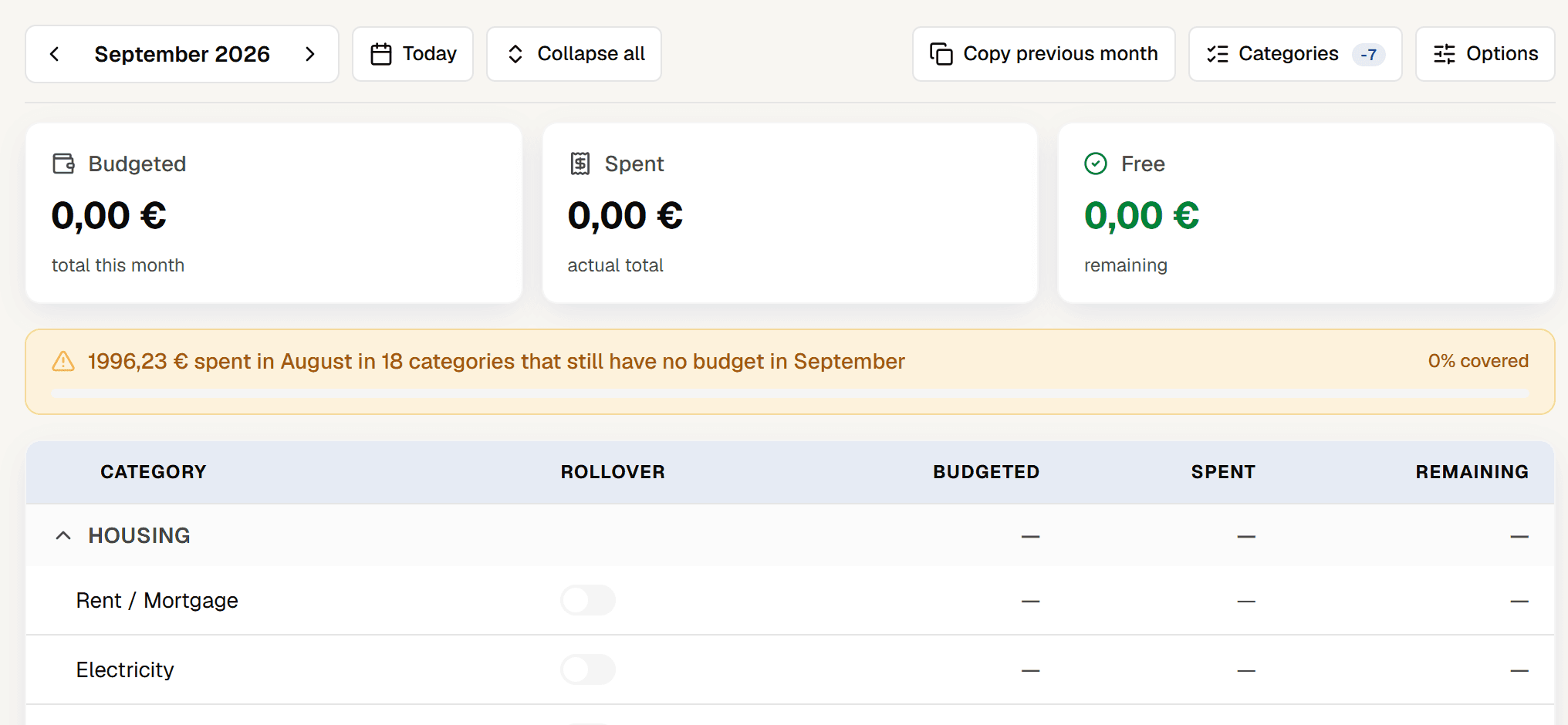
On the Budget screen, the bar at the top compares the month with the one before and shows how much went on categories that don't have a budget yet. It's step 2 of this guide, already added up.
Keep only the categories that matter
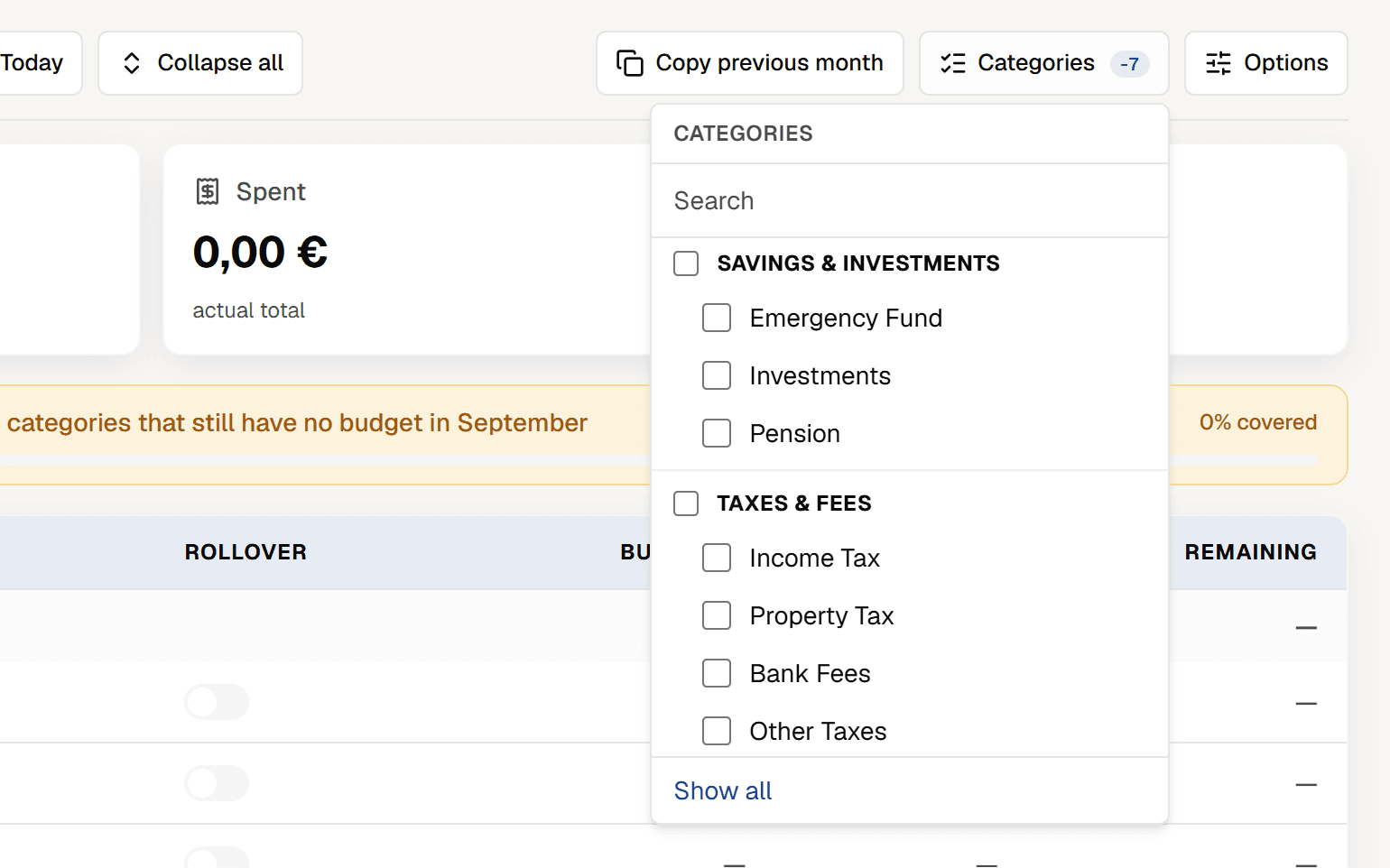
Under Categories, switch off the ones you don't need in your budget. They stay in your transactions and reports, but drop out of the budget grid and its totals — leaving just the lines that matter.
Set limits and keep an eye on the month
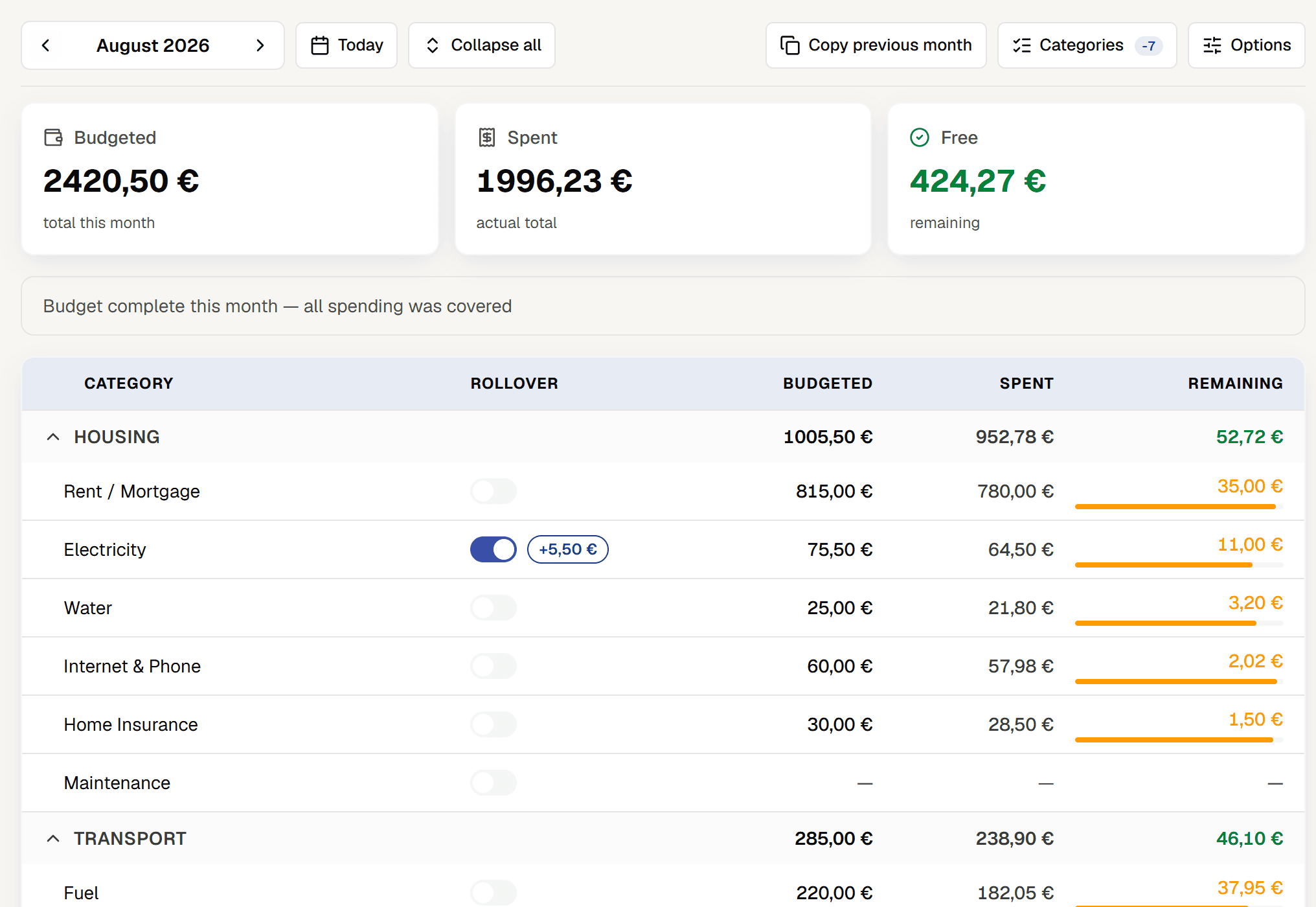
Give an amount to the categories you want to watch. As the month goes on, a bar shows how much you've spent in each and how much is left. For a yearly cost like insurance, choose Annual ÷12: enter the amount for the year and the budget uses this month's share.
Roll on to the next month
In a new month, Copy previous month brings the same amounts across in one click; then you just tweak what didn't work. In a category with Rollover switched on, whatever's left over carries into next month instead of disappearing.
Five minutes a week is enough. Pick a regular slot — Sunday morning, say — to check what's left in your flexible categories.
A simple budget you stick to beats a detailed one you abandon by week three.
Frequently asked questions
What's the difference between tracking spending and budgeting?
Tracking looks back: it shows where the money went. A budget looks ahead: it sets how much you can spend in the months to come. They work best in that order — a month of tracking first, then the budget.
Do I need to redo my budget every month?
No, thankfully. The first month takes some work; after that it's mostly copying it over and fixing what didn't work. Starting from scratch is only worth it when life changes in a big way: a pay rise, a move, a new fixed cost.
How do I budget for yearly costs like insurance or holidays?
The classic trap: the car insurance lands in March and wipes out the whole month. The fix is a sinking fund — divide the yearly cost by 12 and set that amount aside every month in a separate account, so when the bill arrives it's already covered. In Bee Balance, a category's budget takes the yearly amount and does the division for you.
What if I blow a category halfway through the month?
Take the difference from another flexible category and carry on. If the food shop has gone over, trim the fun money. A budget you adjust mid-month is a budget that's working, not one that's failed.